
YouTube Premieres is a platform where the pre-recorded video gets broadcasted within a certain timeframe and provides live chat experience at the same time. As soon as the Premiere is launched, the video starts broadcasting to all viewers, the creator, and the live chat.
YouTube Premieres: How Does It Work?
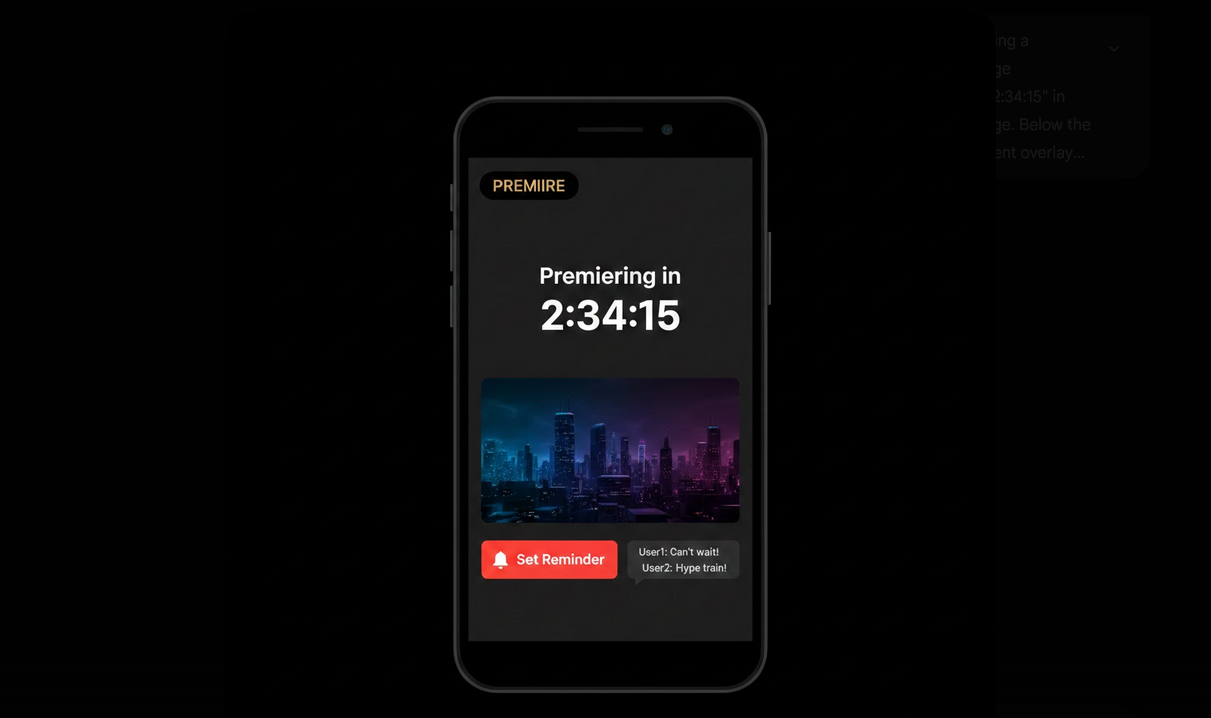
Firstly, the creator uploads a video and schedules a date and time for it. Then, before the Premiere starts, the countdown page appears. There, you can set the reminder and pre-chat the content until the start of the Premiere. As soon as the countdown reaches zero, the video starts broadcasting to all viewers and live chat opens.
Features of Premiers for Viewers
- Countdown Page: A specific page with information about the scheduled time, video thumbnail, and pre-show chat.
- Set Reminder: Push the reminder button to get an alert about the upcoming Premiere.
- Live Chat: Chat with the creator and other viewers.
- Super Chat: Purchase highlighted messages for the creator, just like in live stream.
- Shared Experience: Watch the video together with all other viewers.
- Rewatch Later: Once the Premiere is over, the video turns into a regular YouTube upload.
How to Find and Watch Premieres?
- Subscriptions Feed: Upcoming Premieres from the subscribed channels show up in the subscriptions feed with the scheduled time.
- Notifications: Channels, which send you notifications, will inform you about upcoming Premieres.
- Community Posts: Usually creators announce Premieres through community tab posts or on social media.
- Set Reminder: Visit the Premiere page before the start and click the Set Reminder button to get notified when the Premiere starts.
- Join Early: Visit the page before the scheduled time and participate in the pre-show chat.
Watching Premieres with YouTube Vanced
YouTube Vanced fully supports Premieres. The countdown page, live chat, Super Chats, and reminders system work the same way as in the official application. The most valuable feature of Premieres in YouTube Vanced is the absence of any pre-roll or mid-roll ads once the Premiere video starts playing. With the official app, the ad may interrupt the Premiere right at its start and prevent you from watching it.
With Vanced MicroG for account authentication, the reminders will be synchronized to your Google account and notifications will work correctly. All your chat interaction and Super Chats purchases will be made normally using the linked payment method.
Why Do Creators Use Premieres?
- Event Atmosphere: The atmosphere of anticipation unavailable for regular uploads.
- Community Interaction: The participation in the live chat during the premiere.
- Algorithm Boost: The viewership concentration during the Premiere increases the chances for the YouTube algorithm to boost the video.
- Monetization: Super Chats during the Premiere provide extra money source.
- Marketing: The opportunity to schedule the Premiere generates anticipation and allows promoting the video beforehand.
Tips for Watching Premieres
- Set Reminders: Never miss Premieres from your favorite creators.
- Arrive Early: Visit the countdown page before the scheduled time to participate in pre-show chat.
- Chat: The main feature of Premieres is the live chat, use it.
- Watch On Time: The shared experience is possible only during the first Premiere. Rewatch later means that you have missed the live chat.
Who Can Benefit From YouTube Premieres?
- Dedicated Fans: Viewers who want to become the first audience of the creator.
- Community-Lovers: People who like chatting with other fans during watching something together.
- Creators: YouTubers who want to involve their community into a new video release.
- Event Lovers: People who enjoy watching something at a certain time.
Final Thoughts
YouTube Premieres are the perfect blend of the best features of live streams and regular uploads. Countdown, live chat, and shared first viewing create the atmosphere of community, which is unattainable with regular uploads. Watching Premieres with YouTube Vanced lets you avoid any interruption of ads and watch the entire experience of the Premiere.
